 BetterAttach
Rename email attachments with your own templates
BetterAttach is an Outlook add-in that renames attachments from a template you define — like {date}_{sender}_{subject} — so every file is named your way before you save.
Received
Saved as
The Problem
Renaming attachments by hand is pure busywork.
Every invoice, receipt, and contract lands in your inbox as scan001.pdf or invoice_final_v3.pdf — names that are impossible to find later. So you save each one with a proper name, a few hundred times a month. It's hours of work no one should be doing by hand.
5+ hours a month, gone
Bookkeepers and AP teams burn 5+ hours every month renaming invoices and receipts by hand — one file at a time.
Lost in the Downloads folder
scan001.pdf. invoice_final_v3.pdf. document(3).pdf. Names that tell you nothing pile up, then vanish the moment you actually need to find one.
Automation tools are overkill
The tools that can automate it take flows, expressions, and hours of technical setup — far more hassle than they're worth. So renaming stays manual.
Outlook Preview
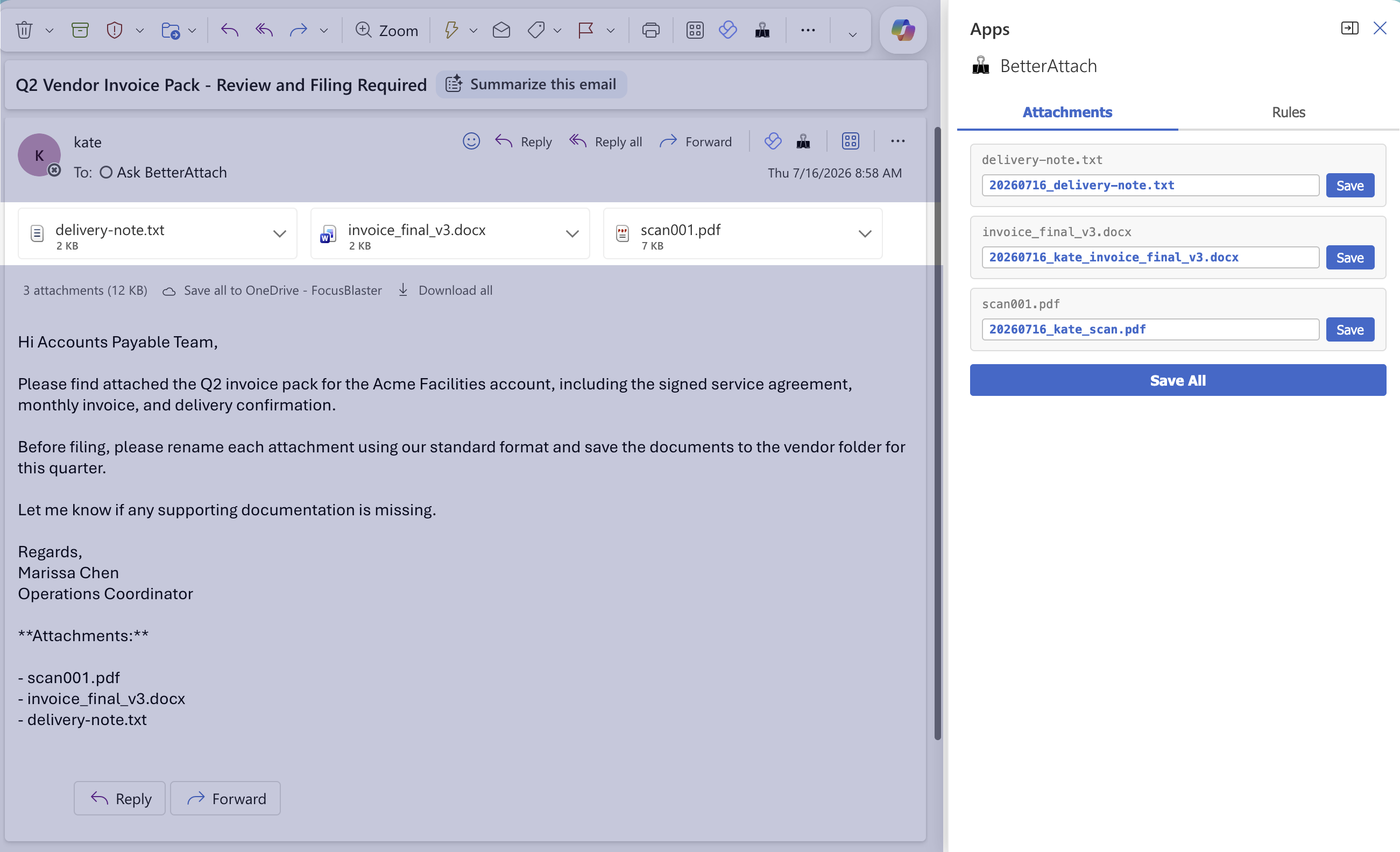
Preview clean attachment names before you save from Outlook.
Open BetterAttach from the Outlook message toolbar, review the generated names, then save one file or the whole set.
How It Works
From inbox to saved, in three steps.
Open your email in Outlook
BetterAttach appears in the task pane when you open an email with attachments.
See renamed attachments instantly
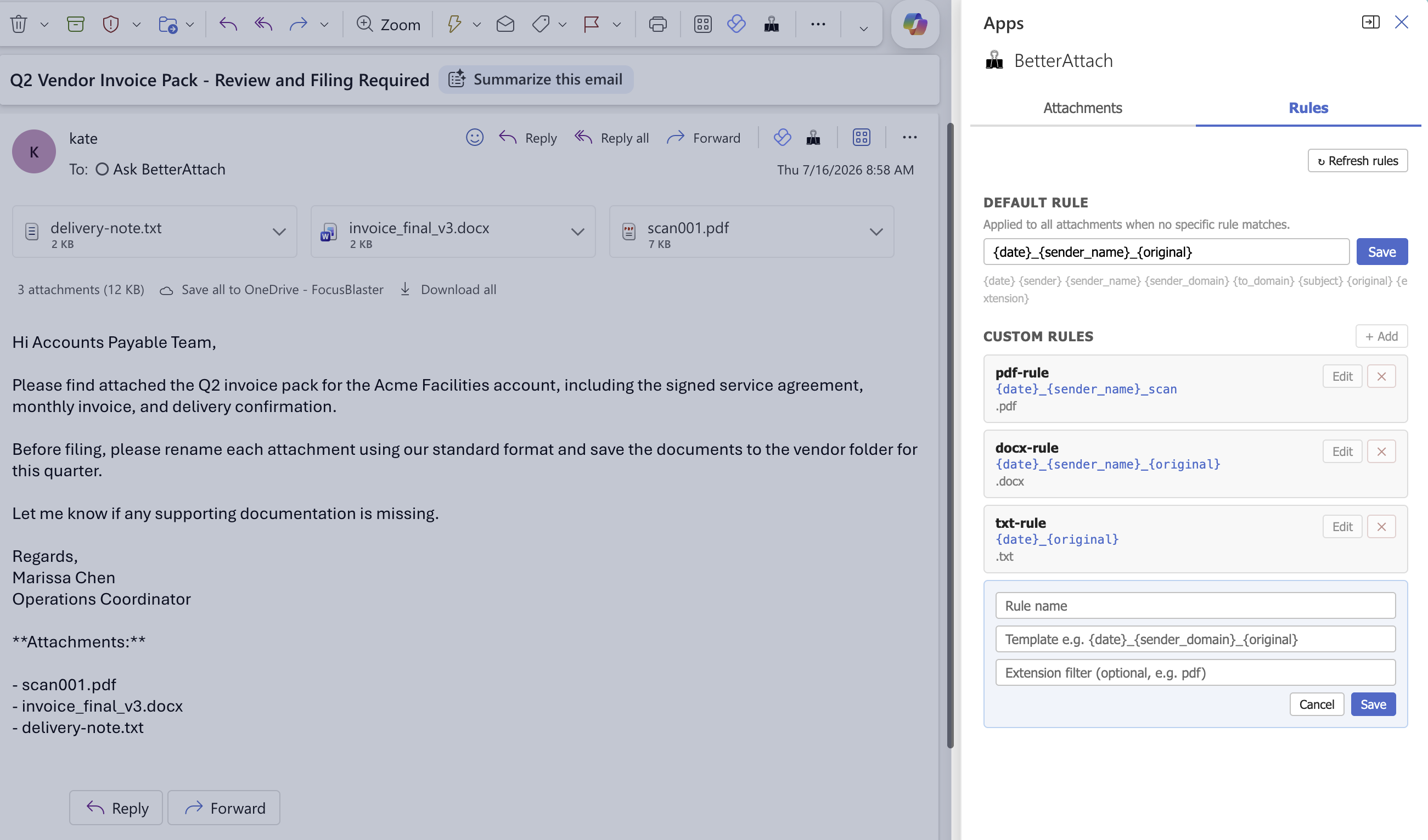
Your naming rules run locally. Each attachment shows its current name and what it will be saved as — side by side.
Save with the right name
Click Save. BetterAttach starts the normal Outlook/browser save flow with the corrected filename. Nothing touches our servers.
Features
Built for the people who process documents all day.
Your rules, your templates
Define naming templates that match how your team actually works — {date}_{vendor}_{type}, or whatever makes sense for your filing system.
Email-first, not folder-first
Most tools enforce naming inside the Document Management System. BetterAttach catches files the moment they arrive in Outlook, before a bad name gets saved anywhere.
Works with your normal download flow
BetterAttach gives the file the right name before Outlook or your browser saves it. You choose the destination the same way you normally do.
Zero uploads. Full privacy.
All renaming happens locally in the Outlook task pane. File contents never leave your machine or your organization's network.
FAQ
Frequently asked questions.
Stop renaming attached files by hand.
Install BetterAttach in under 5 minutes. Your naming templates handle the rest.
Works with Outlook on the web and Outlook for Windows.